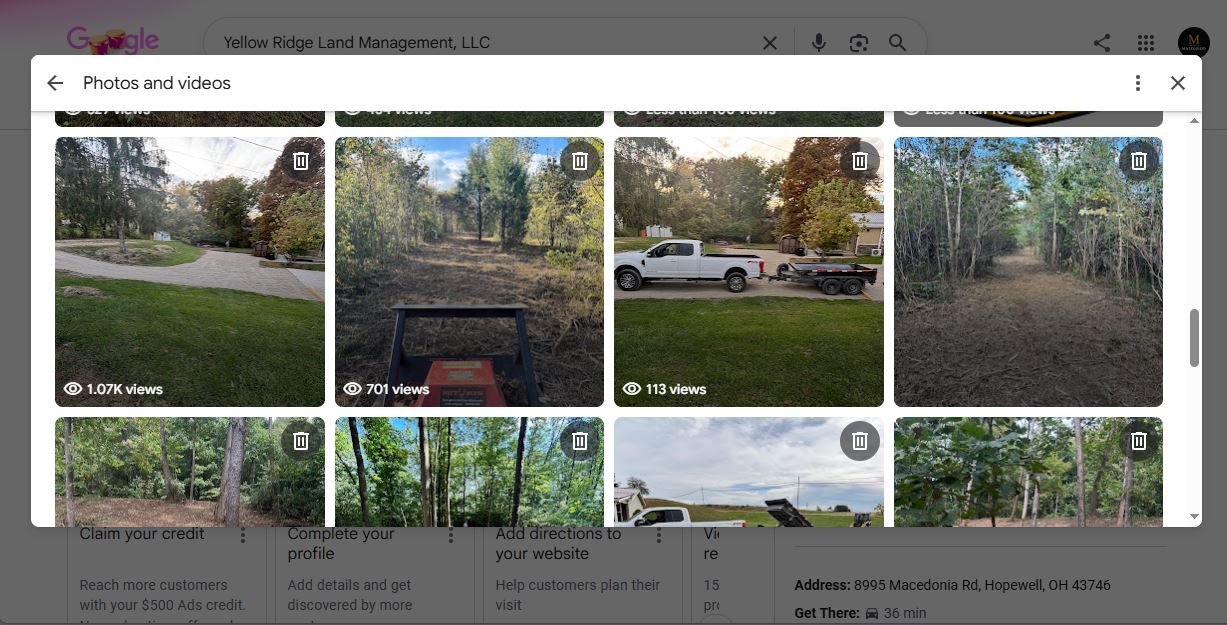
Google Business Profile Post Views Are Back: What Local Businesses Should Know
Google Business Profile Post Views Are Back: What Local Businesses Should Know
Google Business Profile post views are showing up again in the dashboard, giving local businesses one more way to see whether their Google Business Profile posts are being seen. For a Columbus home-service company, that is helpful—but it is not a reason to chase views for their own sake.
The useful question is not, “Did this post get a big number?” The useful question is, “Did this post help the right local customer notice our business and take a next step?” That next step could be a call, a visit to your website, a direction request, a booking, or simply a stronger first impression when someone compares you with another company.
Google regularly changes what it displays inside Business Profile management and Performance. When a metric returns, it is tempting to treat it like a new ranking factor or a direct measure of leads. It is neither. Still, Google Business Profile post views can give you practical feedback when they are read alongside the rest of your local SEO reporting.
What Google Business Profile post views can tell you
Google Business Profile posts let a business share timely updates directly on its listing. A plumber may publish a frozen-pipe warning. An HVAC company may explain what to do when an AC is running but not cooling. A landscaper may share fall cleanup timing. A roofing contractor may show a recently completed repair and explain the problem it solved.
When post-view data appears, it can show that people were exposed to that content. That is the value of the metric: it is a visibility signal.
If a post about “emergency furnace repair in Columbus” consistently gets more views than a general company update, that may suggest the topic matches what people are paying attention to at that moment. It does not prove the post caused a phone call. It does give you a reason to look closer at the message, timing, image, and service topic.
Views can help you spot patterns such as:
Seasonal problems customers are noticing.
Service topics that get more attention than broad brand announcements.
Whether job photos, before-and-after images, or short educational updates earn more exposure.
Which offers or calls to action are worth testing again.
Whether your posting plan is staying connected to real customer questions.
For local service businesses, a post should not be filler. It should answer a question someone may have right before they need help. “Why is my breaker tripping?” “How do I know if my water heater is failing?” “When should I schedule fall leaf cleanup?” Those are better starting points than “Happy Monday from our team.”
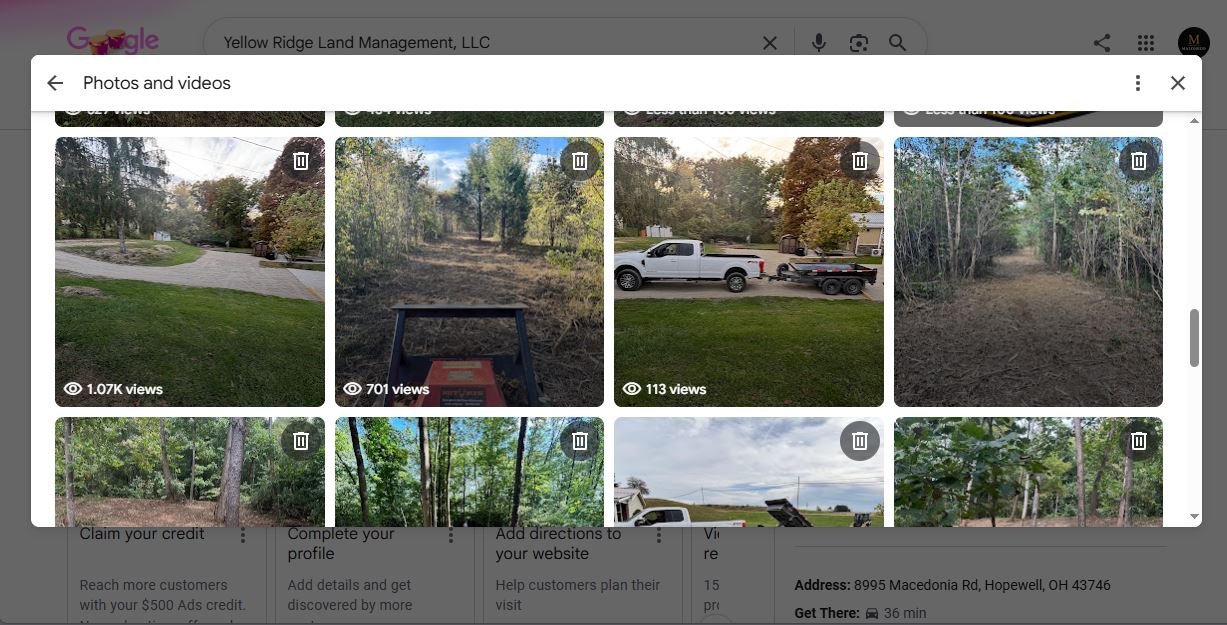
Where to find post views in the GBP performance dashboard
Business Profile owners and managers can review Performance from the management experience in Google Search or Google Maps. Google’s Performance area is where it reports how people interact with a profile, including visibility and customer actions such as calls, website clicks, and direction requests. The exact labels, available detail, and layout can vary by profile, device, and Google update.
To check your data, search for your business name while signed into the Google account that manages the listing. Open the management panel, then select Performance or View Performance. Look for the post reporting available to your profile and set a useful date range if the dashboard allows it.
Avoid judging a new post after only a few hours. Local demand changes by day, season, weather, and service type. A heating post during a cold Ohio week may naturally receive more attention than the same post in May. Compare similar time periods and similar post types whenever possible.
Also remember that a Google Business Profile is not the same as Google Analytics. Performance is about activity happening on the profile in Google Search and Maps. Analytics is more useful for understanding what a visitor does after clicking through to your website. Both tools matter, but they answer different questions.
Why this matters for local SEO reporting
Good local SEO reporting should show the path from visibility to trust to action. At MaloneCo, that means looking beyond a single dashboard number.
Post views can fit in the visibility part of that picture. If people are seeing a useful service update, the business has another chance to earn recognition before the customer even visits the website. That is especially valuable for businesses competing in busy Columbus-area markets where a homeowner may compare several local options in the same search.
The trust part comes from what the customer sees next: accurate hours, correct service areas, clear services, real job photos, a steady flow of reviews, prompt review responses, and helpful content. A post about drain cleaning will not overcome an incomplete profile, a wrong phone number, or two-year-old photos.
The action part is where the business should focus most closely. Are calls increasing? Are website visitors submitting a contact form? Are direction requests relevant for a storefront? Are customers mentioning a service or offer they saw online? Those signals are closer to actual business value than post views alone.
That is why a monthly report should not say only, “Posts received 2,000 views.” It should add context: which topics were posted, whether profile views or actions changed, what service demand looked like, and what the business will test next month. This is the heart of useful local SEO reporting—not a stack of numbers, but a clear decision about what to keep, improve, or stop.
If your listing needs stronger foundations before you start measuring content, review your Google Business Profile optimization first. Confirm the live page URL before publishing this link.
What post views do not tell you
The return of a metric does not turn it into a scorecard for success. Google Business Profile post views do not tell you all of the following:
Whether the person who saw a post lives in your service area.
Whether they need the service now.
Whether they read the post from start to finish.
Whether they called, booked, or became a customer.
Whether the post improved rankings.
Whether the same person saw multiple pieces of content.
This is why “more views” is not automatically better. A post can gain attention because it is broad, emotional, or seasonal while attracting people who will never hire you. A more specific post about “same-day garbage disposal repair in Westerville” may receive fewer views but generate better conversations. For a local business, relevance beats vanity.
Do not make promises such as “weekly posts will rank you first on Google.” Google does not publish a formula that guarantees that outcome, and local rankings are influenced by many factors, including relevance, distance, and prominence. Helpful, accurate profile activity belongs in a healthy local presence, but it cannot replace strong services pages, review management, complete business data, and excellent customer service.
A simple way to use Google Business Profile posts each month
You do not need a complicated content calendar to make this metric useful. Start with a simple, repeatable process.
Compare like with like
Post about a few clear categories each month. For example, an HVAC business might publish one seasonal maintenance tip, one common problem explanation, one completed-job photo, and one direct service reminder. A landscaper could cover a seasonal task, a pest concern, a before-and-after project, and a booking reminder.
At the end of the month, compare posts within the same category. Did problem-solving updates tend to get more views than general updates? Did real job photos outperform stock-style graphics? Did a timely weather-related post create more profile actions? Keep notes; patterns matter more than one standout post.
Connect the post to a next step
Every post should make it easy for the reader to understand what to do next. That does not mean every update must sound like an ad. It means the content should have a natural transition.
For example: “If your furnace is blowing cool air, turn the thermostat to heat, check the filter, and call a qualified technician if the problem continues.” That is helpful first. The business can then invite the reader to call for service or visit its website for more guidance.
Match the call to action to the post. A completed-project post might say, “See more of our recent work.” A seasonal reminder might say, “Schedule before the busy season.” An emergency-service post might say, “Call if your home has no heat.” Clear next steps make it easier to connect content visibility to customer action.
Watch actions after visibility
Check the profile’s calls, website clicks, direction requests, bookings, and other available actions beside post views. You are not trying to claim that one post caused every action. You are looking for direction.
If your profile content becomes more useful and focused, does the business also see better-quality website traffic or more calls about the service you highlighted? Ask your office team what customers are mentioning. Add simple tracking, such as a tagged link when appropriate, so website traffic from the profile can be understood more clearly.
For businesses that want reporting connected to the bigger local search picture, local SEO reporting should combine Business Profile activity with website performance and lead handling. Confirm the live page URL before publishing this link.
Google Business Profile post views are back—use them as a signal, not the score
Google Business Profile post views give local businesses a useful piece of feedback that had been harder to see. They can help you understand whether Google Business Profile posts are being exposed to people who are researching your services. That is good information to have.
But the goal is still not views. The goal is a stronger local presence that helps the right person trust you and contact you when they need help. Keep your profile accurate. Publish helpful service content. Use current photos. Build real reviews. Watch Google Business Profile metrics together—not in isolation.
For Columbus businesses, the best next move is simple: use the returned post-view data to learn what customers pay attention to, then build more useful content around those real problems. That is a better use of Google Business Profile optimization than posting just to say you posted.
FAQs
Do Google Business Profile posts help a business rank?
Google does not provide a promise that publishing posts will directly improve a local ranking. Posts are best treated as a way to share current, helpful information on your profile. Keep the rest of the profile complete and accurate, earn genuine reviews, and make sure the website supports the services and locations you want to be found for.
How often should a local business post on Google?
There is no one correct number. A practical schedule is one useful post each week or a few focused posts each month, depending on the business’s capacity. Consistency matters, but usefulness matters more. Do not publish generic updates simply to fill a calendar.
Are post views the same as profile views?
No. Profile views measure visibility for the overall Business Profile. Post views relate to the specific content update when that data is available in the dashboard. Review both, along with customer actions, to get a fuller picture.
What GBP metrics matter most?
The most important metrics are the ones tied to business outcomes: qualified calls, website visits that turn into leads, bookings, direction requests when relevant, and the search terms showing how customers find you. Google Business Profile post views are useful context, but they should not be your only measure of success.


